

 Platform
 W&B Models
 W&B Weave
 W&B Inference
 W&B Training
 Release Notes
weave.op() is added to each function you want to trace.
The following code builds on the quickstart example and adds logic to count the returned items from the LLM and wrap them in a higher-level function. Additionally, the example uses weave.op() to trace every function, its call order, and its parent-child relationship:
- Python
- TypeScript
extract_dinos and count_dinos), as well as the automatically-logged OpenAI trace.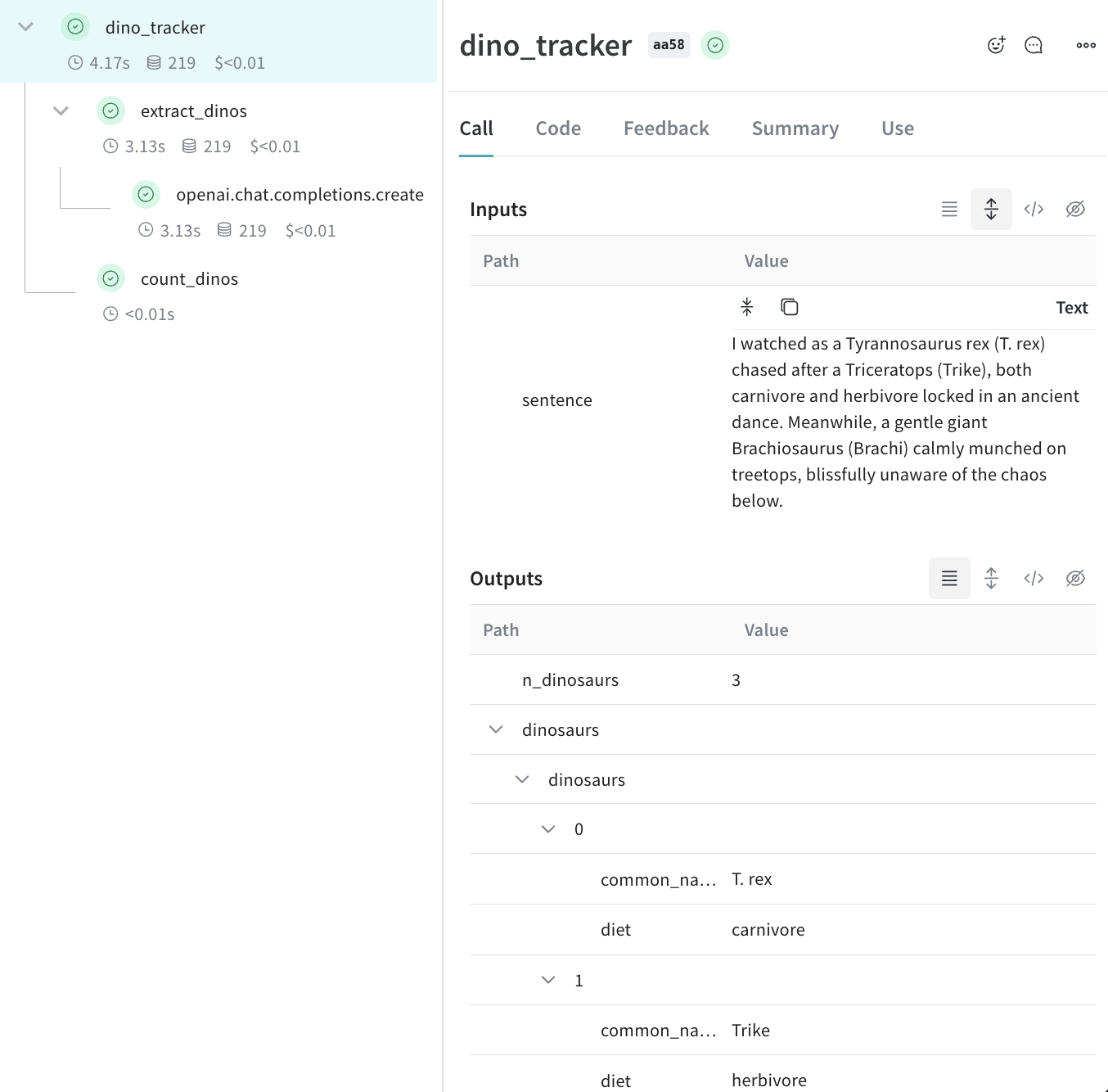
Tracking metadata
You can track metadata by using theweave.attributes context manager and passing it a dictionary of the metadata to track at call time.
Continuing our example from above:
- Python
- TypeScript
We recommend that you track metadata at run time, such as your user IDs and your code’s environment status (development, staging, or production).We recommennd that to track system settings, such as a system prompt, use Weave Models.
What’s next?
- Follow the App Versioning tutorial to capture, version, and organize ad-hoc prompt, model, and application changes.