

 Platform
 W&B Models
 W&B Weave
 W&B Inference
 W&B Training
 Release Notes
- Navigate to wandb.ai and select your project.
- In the Weave project sidebar, click Traces.
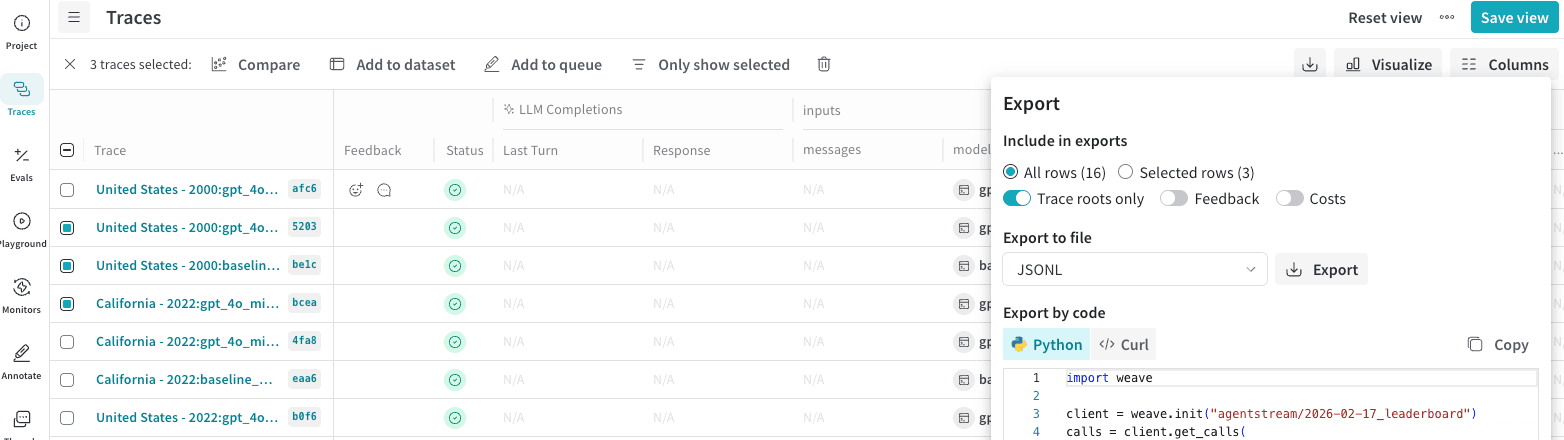
- Select multiple Calls that you want to export by checking the row.
- In the Traces table toolbar, click the export/download button.
- In the Export modal, choose Selected rows or All rows. Click Export.
Fetch calls programmatically
- Python
- TypeScript
- HTTP API
To fetch calls using the Python API, you can use the
client.get_calls method: